Mirror & control
See your phone's screen live on your Mac or iPad, and control it with keyboard, mouse, or touch.
 Waslane
Android × Mac × iPad
Mirror your screen, send files both ways, read SMS and notifications right on the big screen. Everything runs locally over your Wi-Fi.
Both devices on the same Wi-Fi. That's it.
Local First. Your data stays on your devices, with no server in between.
The features Apple keeps for the iPhone. For everyone who has an Android phone and a Mac.
See your phone's screen live on your Mac or iPad, and control it with keyboard, mouse, or touch.
Drag files across in either direction. The successor to Google's discontinued Android File Transfer. Learn more
Read and reply to your texts right on your Mac, with the full history. Almost nothing else does this.
Notifications from every app land on your Mac. Reply right there, without reaching for your phone.
Copy on one device, paste on the other. Works both ways.
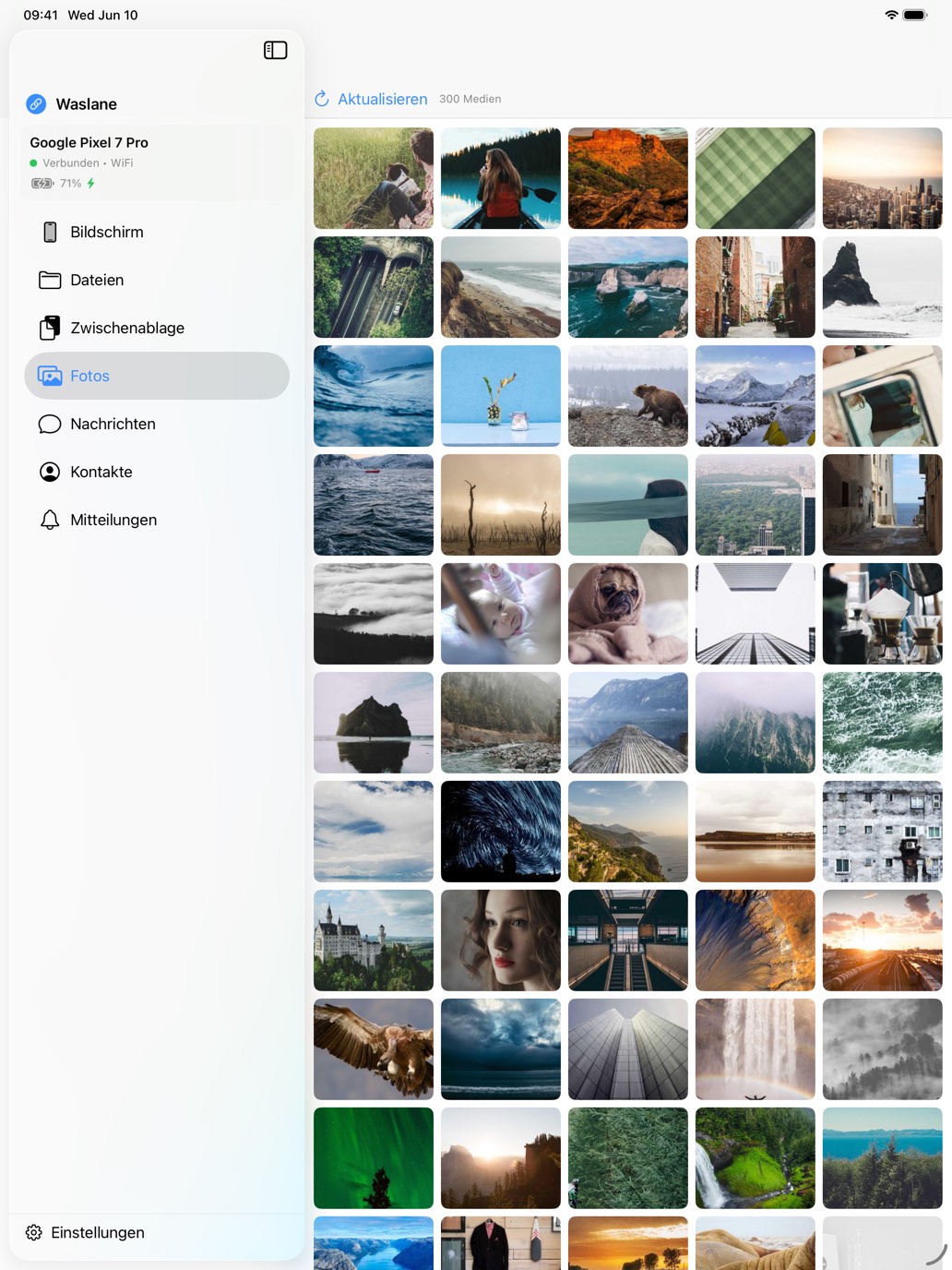
Browse your gallery, pull images over, view your contacts. All in one window.
KDE Connect can do a lot. On the Mac, though, it's only available as a nightly build that tends to break after macOS updates. Waslane is built to stay stable, even on macOS 26. Read the full comparison
KDE Connect is a trademark of KDE e.V. Waslane is not affiliated with KDE e.V.
Waslane connects your devices directly over your Wi-Fi, end-to-end encrypted with TLS 1.3. There is no server in between, no account, and no tracking. Whatever moves between your phone and Mac stays with you.
Try it free for 7 days. Then it's your call: pay yearly, or once for good.
Free for 7 days
€14.99 / year
Always up to date, every feature, cancel anytime.
€34.99 once
Buy once, keep it for good. Includes all updates and maintenance.
Try it freeAll prices incl. VAT. Purchase via the App Store. One purchase covers Mac and iPad.
Mac & iPad from the App Store, Android as a direct install. Both devices on the same Wi-Fi.
Through the App Store. One purchase covers both devices.

A direct install of the app on your phone.
Download APK
Or scan the QR code with your phone.
Then open Waslane and scan the QR code shown on your Mac or iPad to pair the devices.
Note: with a direct install, Android 13+ initially restricts notifications and remote control. Allow them under Settings → Apps → Waslane → top-right menu → "Allow restricted settings".